
How to Use the Parking AC Timer Switch?
Learning how to set a parking ac timer switch maximizes cabin comfort while protecting your auxiliary battery bank.This digital control feature allows the driver to pre-cool the sleeper cab before resting,and also prevents the auxiliary battery from being drained unnecessarily during periods when cooling isn’t needed.The automatic shut-off timer prevents the battery from fully discharging overnight while the driver is sleeping,which could otherwise result in the engine failing to start the next day.
What Is A Parking AC Timer Switch?
A parking ac timer switch is an electronic module built into modern digital AC controllers.Specifically,it controls the automatic start and stop times of the DC inverter compressor.Users can easily set a specific runtime ranging from 30 minutes to 8 hours,ensuring that the cooling unit operates only during the sleep or rest periods you have specified.In addition,modern timer modules feature low-voltage cutoff protection to enhance battery safety.If the battery voltage falls below a safe threshold,the system will automatically shut down.
Timer Switch Modes and Operational Functions
| Timer Control Mode | Primary Operating Mechanism | Key Driver Benefit |
|---|---|---|
| Countdown Shutoff | Turns AC off after set hours | Prevents battery depletion overnight |
| Delayed Start | Delays activation until set time | Pre-cools cabin right before rest |
| Cyclic Interval | Alternates running and resting periods | Maintains temp while saving 40% power |
Key Operating Modes And Functions
Most digital controllers offer delayed start,countdown shut-off,and timed cycle modes.The delayed start feature cools the cab before you get into bed,so you can step into a cool cab without having to turn on the air conditioning in advance.The countdown shut-off feature turns off the cooling system after a preset time interval. The timed cycle feature runs the compressor at set intervals during the night,significantly saving energy while maintaining a stable cab temperature.
Get A Quote Now
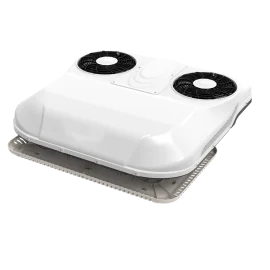
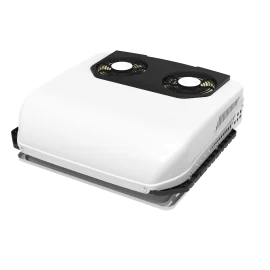
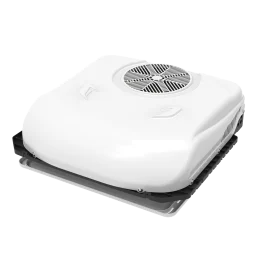
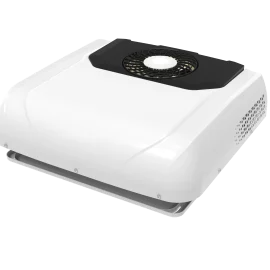
We offer parking heaters and parking coolers in a variety of colors.Get a free, fast quote today.As a direct original equipment manufacturer,we further reduce your costs.Eliminate middlemen and brand premiums,cutting out additional layers of intermediary.We have the item in stock and can pack and ship it at any time.
Step-By-Step Guide To Set A Parking AC Timer Switch
Programming your parking ac timer switch requires following a precise sequence on your control panel.
- First, press the power button to turn on the main digital control panel.
- Next,press the clock or timer button to access the main programming menu options.At this point, the digital display will flash,indicating that timer selection mode is active.
- Then,use the up and down arrow keys to set the desired runtime.
- After that,select the target car temperature before confirming the new timer settings.
- Finally,press the Confirm button to save the custom timer program. A clock icon will appear on the screen,indicating that the timer countdown has begun.
Step-by-Step Timer Programming Sequence
| Step Number | Control Panel Interface Action | Digital Display Screen Response |
|---|---|---|
| Step 1 | Press Power button, then Timer button | Hour digits begin flashing continuously |
| Step 2 | Use Up/Down arrows to select duration | Screen displays set hours (e.g., 4H, 6H) |
| Step 3 | Press Mode or Enter button to confirm | Clock icon illuminates solid on screen |
Best Practices For Battery Optimization
Using your parking ac timer switch correctly preserves your high-capacity auxiliary lithium battery bank.Before parking,use the main engine’s alternator to pre-cool the sleeper compartment so that the parking air conditioner’s timer can maintain the existing low temperature inside the vehicle using less current.During the night while you sleep,set the timer to 4 to 6 hours;the air conditioner will cool the compartment as you enter deep sleep,while conserving battery power for the morning.We recommend using the timer in conjunction with an automatic low-voltage cut-off device to prevent the battery from completely discharging.Smart programming ensures optimal cooling comfort without draining the starter battery.
Troubleshooting Common Timer Control Issues
Sometimes a parking ac timer switch experiences display errors or fails to trigger automatically.If the timer shuts off prematurely,first check the main battery voltage.The low-voltage protection system will override the timer settings to protect the main electrical system.Next,check the internal control board wiring harness for loose or damaged electrical connections.
Disconnect the main battery power for 30 seconds to reset the internal microprocessor;this will quickly clear the system memory and resolve issues such as a frozen digital display or unresponsive timer buttons.Use a reliable parking air conditioner timer switch to ensure consistent air conditioning control and prevent mechanical failures.
Common Timer Faults and Troubleshooting Solutions
| Observed Control Issue | Probable Mechanical Cause | Recommended Diagnostic Action |
|---|---|---|
| Timer Turns Off Early | Low battery voltage trigger | Recharge battery bank or lower voltage threshold |
| Display Screen Frozen | Microprocessor software lock | Disconnect power harness for 30 seconds to reset |
| Timer Will Not Save | Unconfirmed entry sequence | Press Enter button within 5 seconds of selection |
Contact Us Now
- RM901 No.22 Tangjiaqiao Road Wenzhou China
- +86 138 1973 9327
- [email protected]
- https://www.autosparesupplier.com/
Share